
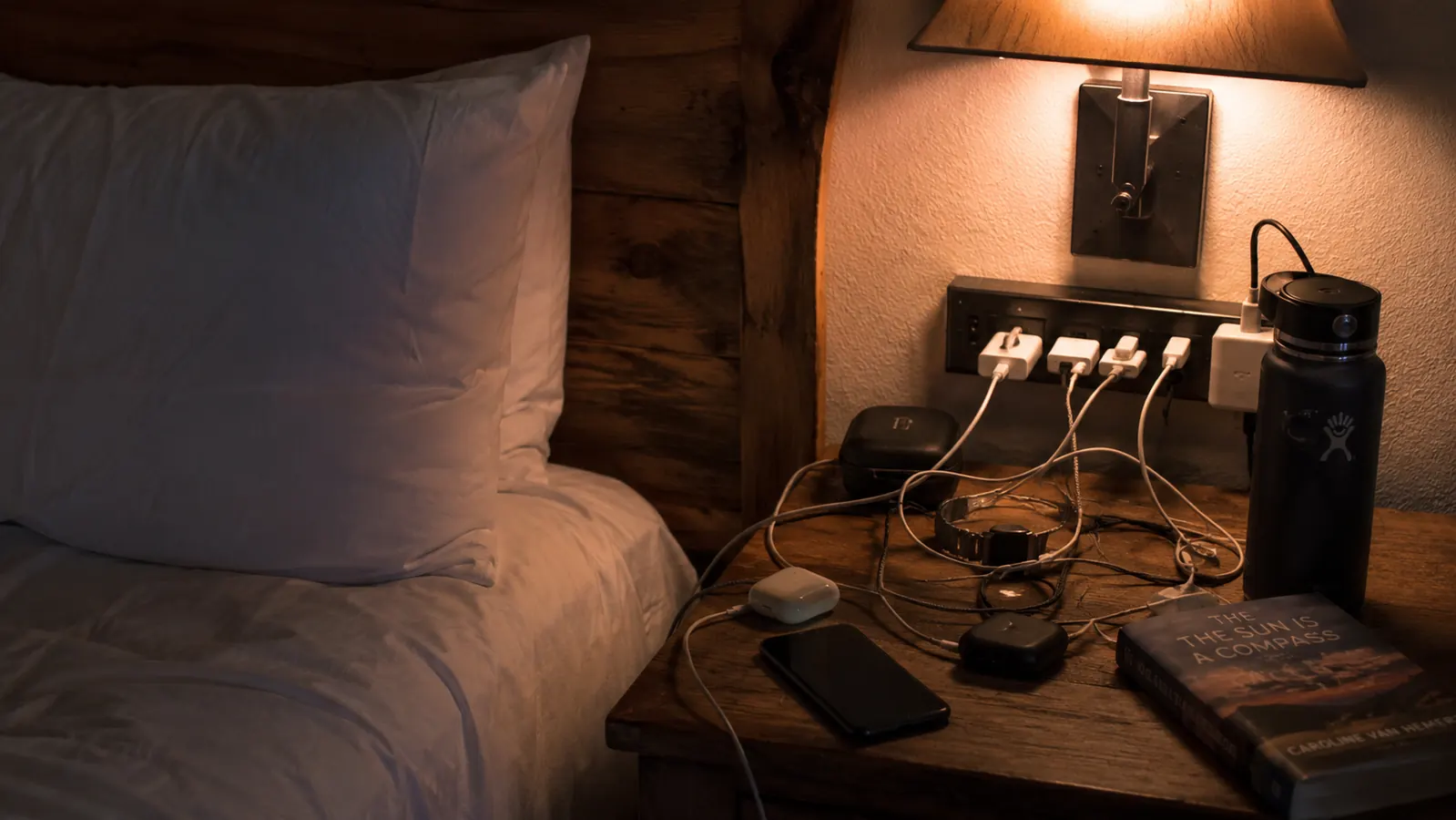
Every hotel room I've stayed in over the past few years has the same design flaw. One outlet by the desk, one behind the nightstand if you're lucky, and none of them close enough together to actually run everything at once. On a recent stop in Twin Falls after a long drive down from Boise, Rennie and I had four things needing power by nine that night: her phone, my phone, my camera battery charger, and the laptop I use to log mileage and expenses. The room had two outlets total, and one of them was already half blocked by the lamp cord. That's not a rare room. That's most of them.
The fix isn't complicated, but it does need to be done right, because a lot of the advice floating around about hotel charging setups skips the one detail that actually matters. A travel power strip is not the same thing as a voltage converter, and treating it like one can wreck your gear. Below is the five-step approach I use now, worked out over enough overnight stops on our road trip routes to know what solves the outlet problem and what just creates a new one, along with the safety habits that keep gear from getting fried in the process.
Two outlets, four devices, and one very tired negotiation over who gets to charge first
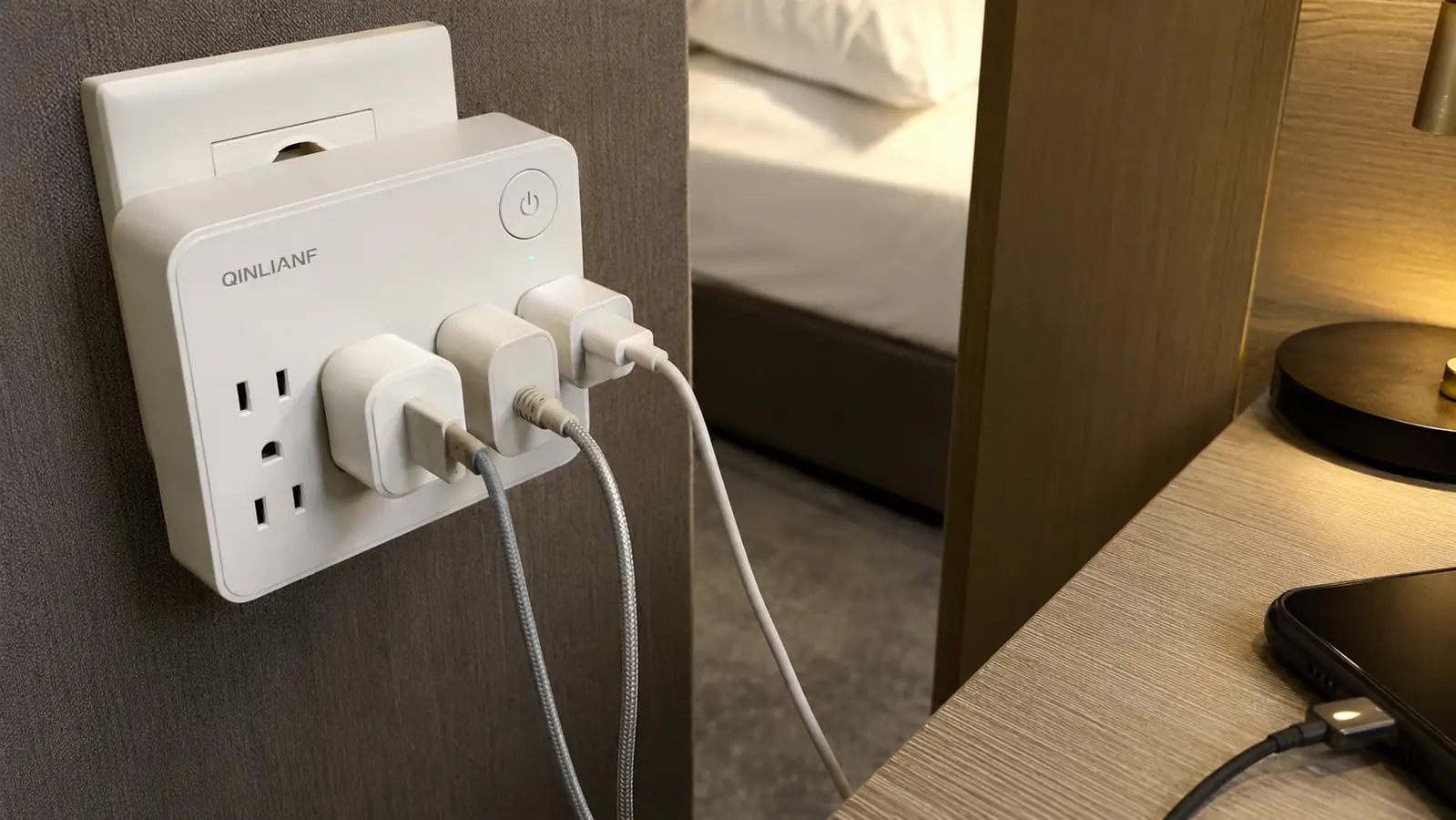
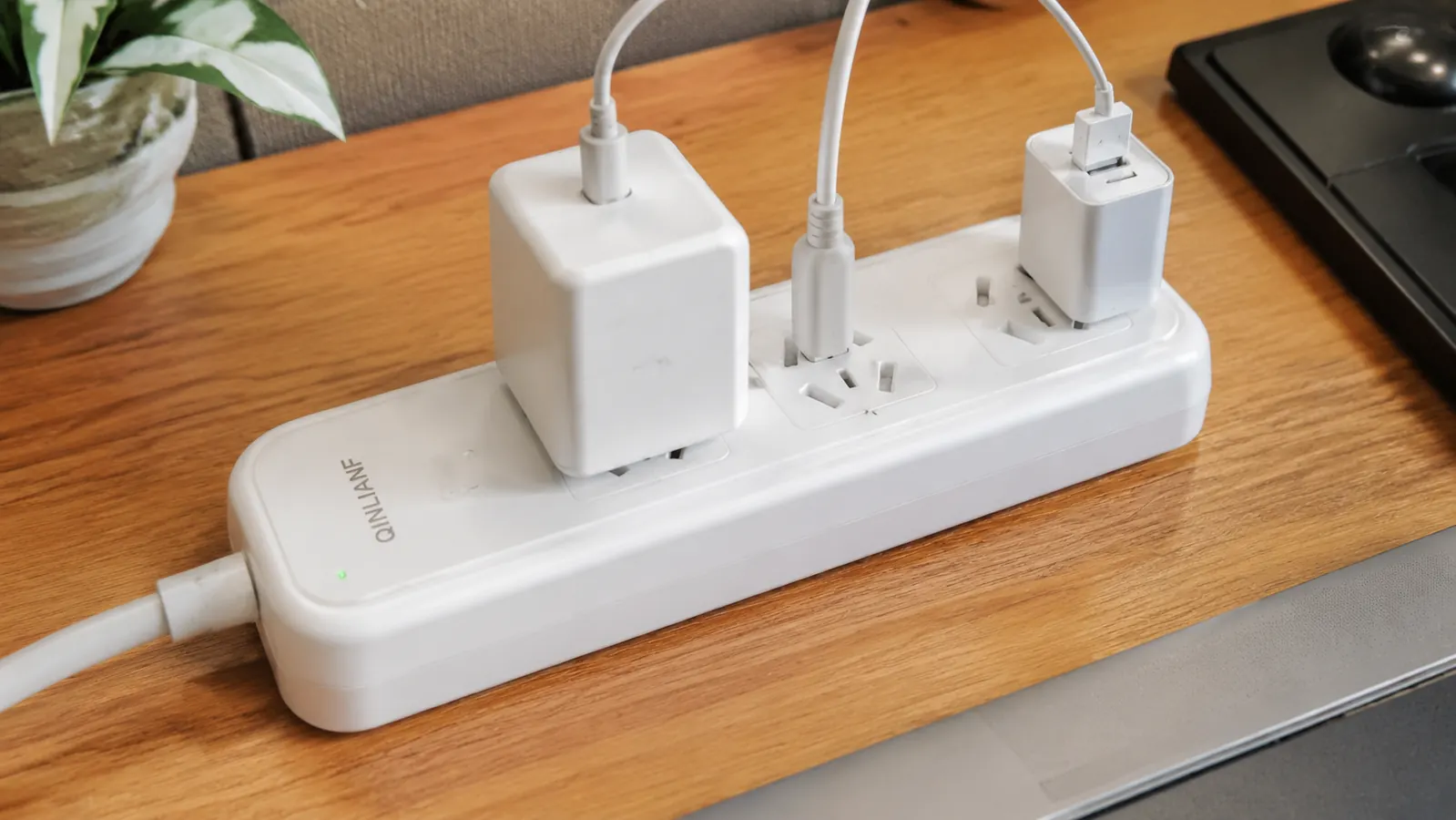
A compact strip like the QINLIANF turns one wall outlet into five outlets and four USB ports, enough to charge phones, a laptop, and a camera battery at the same time without ever touching the lamp cord.
Amazon Check Today's Price on Amazon →Step 1: Count What Actually Needs to Charge Before You Pack Anything
Before I ever open the outlet debate, I count devices. Between the two of us it's usually two phones, a laptop, a camera battery charger, and on longer trips a tablet Rennie reads on. That's five things wanting power in a room that typically offers two to four outlets, and at least one of those is already claimed by a lamp, an alarm clock, or a mini fridge that's been running since check-in.
This is the whole reason a multi-outlet strip earns its space in a carry-on over a single plug adapter. The QINLIANF gives five AC outlets and four USB-A ports off one wall plug, which in practice means everything we're carrying can charge overnight without a single device waiting its turn. USB ports matter more than people expect here, since a phone or a small battery pack doesn't need a full AC outlet at all, it just needs a five-volt USB connection, so routing those off the built-in ports frees the AC outlets for the laptop and the camera charger that actually need them.
Older hotels and roadside motels tend to be the worst offenders. I've stayed in plenty of places built decades ago where the only outlet in the room besides the bathroom is the one behind the headboard, wired for a single lamp and nothing else. Newer chain hotels have gotten better about adding a USB port or two near the desk, but I still don't count on it, since I've been in rooms advertised as updated where the ports turned out to be non-functional or missing entirely. Bringing your own charging setup means you're never dependent on what the room happened to be built with.
Before a trip, I lay everything that needs power out on the bed and count outlets versus devices. If the count comes out even without a strip, I leave it home. It hasn't come out even on a multi-day trip yet.
Step 2: Read the Voltage Marking on Every Device Before You Plug Anything In
This is the step people skip, and it's the one that actually matters. In a US hotel room this isn't usually a live issue since the wall voltage is standard 120V and your devices are built for it. But if you ever take a power strip like this overseas, or you're the kind of traveler who packs one bag for domestic hotel stops and international trips both, this is worth doing every single time you cross into a different electrical system, not just the first time.
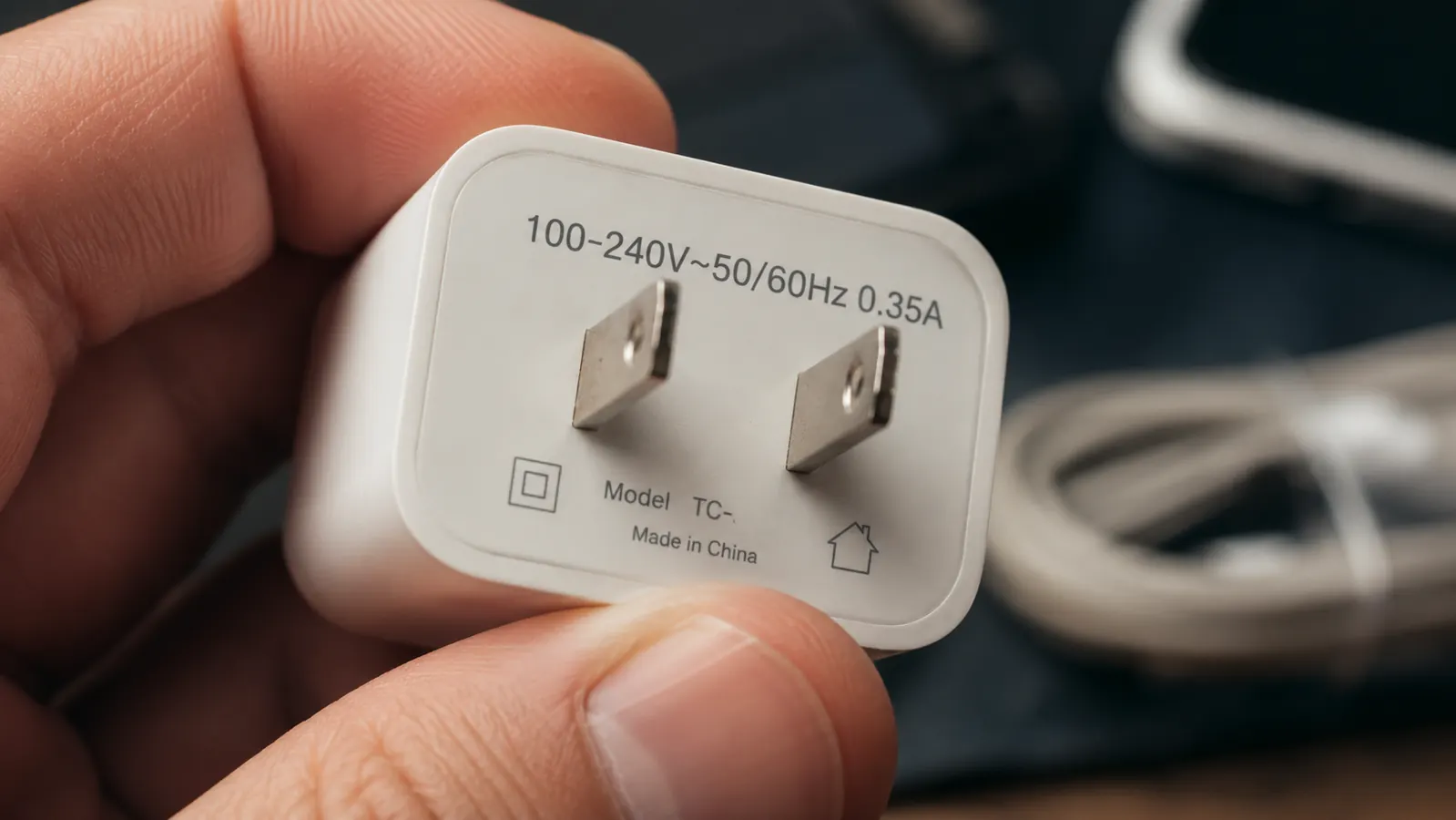
Look at the small print on the charging brick itself, not the device. Most laptop and phone chargers print something like Input 100-240V, 50-60Hz right on the plastic. That range means the charger is dual voltage and can handle power anywhere from Japan to Germany with nothing more than a plug shape adapter to match the local outlet. High-wattage items are usually a different story. Hair dryers, curling irons, and travel kettles are frequently single voltage, marked for 120V only, and running one of those on the wrong voltage without a real converter is how you end up with a scorched cord or a dead appliance in the first ten minutes of a trip.
The part worth saying plainly: a travel power strip is not a voltage converter, even a good one, even one with surge protection built in. It multiplies outlets. It does not step voltage up or down. Plugging a 110V strip into a 220V outlet abroad, even through a plug-shape adapter that lets the prongs physically fit, can destroy the strip and everything plugged into it at the same time. If a device's data plate doesn't show a 100-240V range, it needs a true voltage converter, not just an adapter and not just a strip. This is general guidance based on what's printed on the equipment itself, not electrical-code advice, so when in doubt, check the manufacturer's documentation for that specific device before you plug it in anywhere unfamiliar.
Step 3: Use One Compact Strip Instead of Stacking Loose Adapters
Before we started traveling with a real power strip, our charging kit was three separate wall-wart adapters, each one a little different size, each one blocking the outlet next to it. Two bulky plugs side by side on a standard duplex outlet almost never both fit, so one of us was always waiting. A compact strip with 3-sided angled outlet spacing solves that specific annoyance, oversized plugs and slim ones can sit next to each other without fighting for the same physical space.
The other reason I like a single strip over loose adapters is the surge protection. The QINLIANF is rated at 1680 joules, which is a meaningful buffer against the occasional rough patch in older hotel wiring, the kind of place where the lights flicker once when the AC unit kicks on. It's not a reason to be careless about what you plug in, but it's a layer of protection a bare plug adapter simply doesn't have.
There's also the practical matter of packing one item instead of three or four. A single strip coils up into roughly the size of a fist and lives in the same pouch as our charging cables, which is a lot easier to keep track of than a handful of loose adapters that seem to scatter to the bottom of every bag they're packed in. I've now run this same strip across enough overnight stops to know what it actually holds up to and what it doesn't, which I get into in more detail in my longer-term review of the QINLIANF strip.
Step 4: Know the Strip's Rated Load and Never Daisy-Chain Two of Them
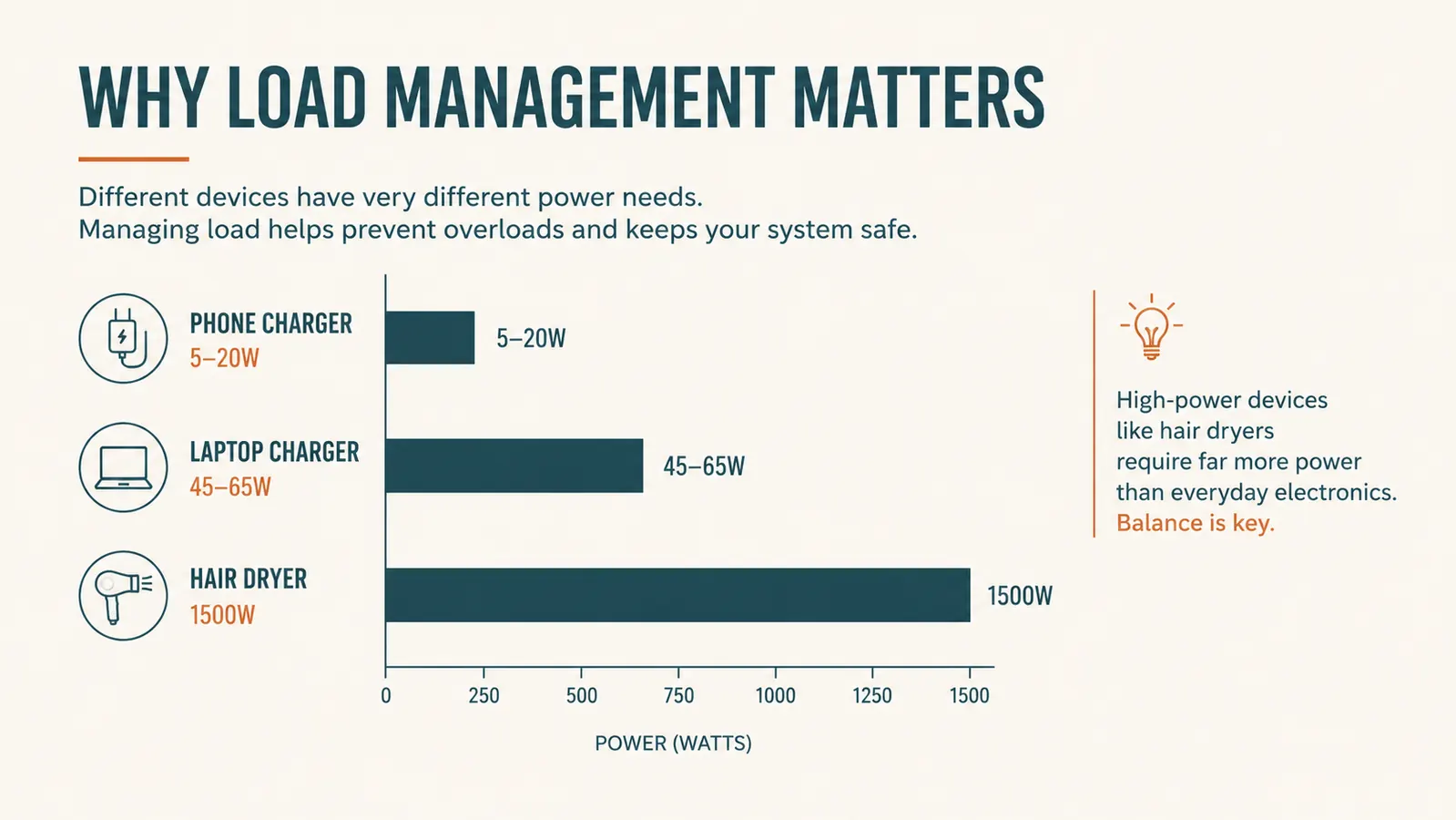
Phones, laptops, and camera batteries draw very little power individually, usually somewhere between 5 and 65 watts each. Total that up across four or five devices and you're nowhere close to what a standard power strip is rated for. The math changes fast the moment you add something high-wattage. A travel hair dryer or a compact kettle can pull 1200 to 1800 watts on its own, which is close to or over what many strips are rated to carry at all, let alone alongside everything else already plugged in.
Check the wattage printed on any high-draw item before you plug it into the same strip as your electronics, and if you're not sure, run it on its own outlet instead. The strip itself will list its rated amperage or wattage on the housing, and staying under that number with your combined devices is the whole ballgame.
One rule I don't bend: never plug one power strip into another. Daisy-chaining strips is a common way people try to solve an outlet shortage, and it's also a fire risk that every manufacturer warns against for good reason, since it can push far more current through a cord than it was built to carry. If one strip isn't enough outlets for your room, that's a sign to simplify what you're charging at once, not to chain in a second strip. In practice this has never actually come up for us, five outlets and four USB ports has always been more than our devices need at once, but it's worth knowing the rule before you're standing in a room wondering why the strip feels warm.
Step 5: Check the Hotel's Policy Before You Pack a Power Strip at All
Some hotels, and many cruise lines in particular, restrict or outright prohibit guests from bringing multi-outlet strips and surge protectors onto the property, usually for fire safety reasons tied to older building wiring or shipboard electrical codes. This varies enough by property and by cruise line that I don't assume anything anymore. A quick look at the property's guest policy page, or a call to the front desk before you pack, takes two minutes and saves you from having an item confiscated at check-in or embarkation.
For our own road trip stops this has never been an issue at any of the chain motels or independent inns we've stayed in, but I still glance at the reservation confirmation email for any mention of electrical restrictions before I toss the strip in the bag out of habit. It costs nothing to check and it's a lot less annoying than being asked to leave it at the front desk after you've already driven four hours to get there.
If you're deciding between a strip like this and a simple plug adapter for a specific trip, especially one where you're not sure the property allows a strip, I laid out the real tradeoffs, outlet count, USB ports, size, weight, and where each one actually wins, in this comparison between the QINLIANF strip and a basic travel adapter.
What Else Helps
A short extension cord habit helps more than people expect. Most hotel outlets sit low, behind furniture, or on the far side of the desk from where you actually want to work or charge overnight, and a strip with a few feet of cord lets you park it on the nightstand instead of crouching on the floor every time you need to unplug something. I also keep the strip's cord loosely coiled with a velcro strap rather than jammed in a bag, since a kinked cord is the first thing that fails on gear like this, long before the outlets themselves ever do. And I never modify a plug to force a fit, no clipping the ground pin, no forcing a plug shape it wasn't built for. If it doesn't fit, that's the outlet or the device telling you something, not an invitation to improvise.
I also do a quick visual check on the strip itself every few trips, looking for a cracked housing, a loose outlet, or a cord that's fraying near the plug. Gear that lives in a carry-on for months at a time takes more abuse than the same item sitting under a desk at home, and a few seconds of checking before you plug in a laptop is cheap insurance against a bad connection.
A power strip solves the outlet shortage. It has never once solved a voltage mismatch, and treating it like it can is how gear gets ruined two states from home.
Stop unplugging the lamp just to charge your phone
The QINLIANF turns one hotel wall outlet into five outlets and four USB ports, with 1680 joules of surge protection built in, so every device charges overnight without the nightly outlet shuffle.
Amazon Check Today's Price on Amazon →